Landscaping companies
Run your landscaping business in one place.
From recurring maintenance to installations and seasonal work, manage quotes, crews, materials, payments and customer communications. Keep your office and field teams working in the same system.
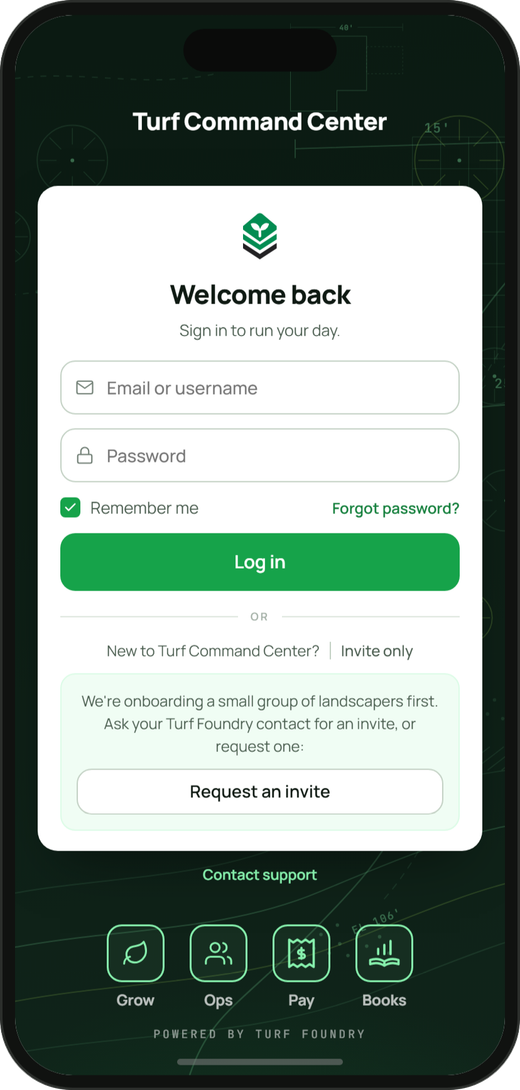
Phone and computer. Help with setup.
Invite-only now. Public release in January 2027.
One stop.
One shared view.
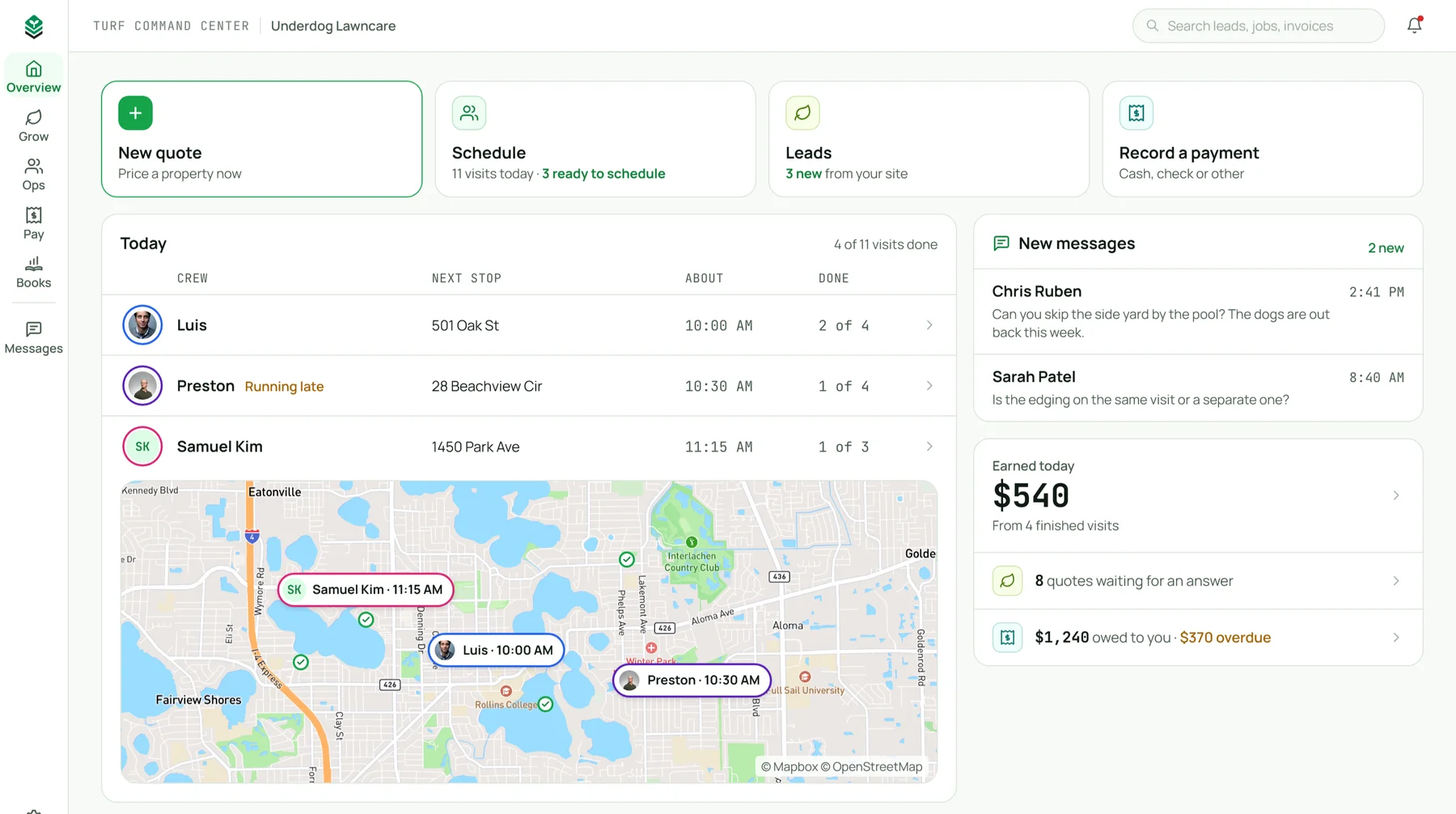
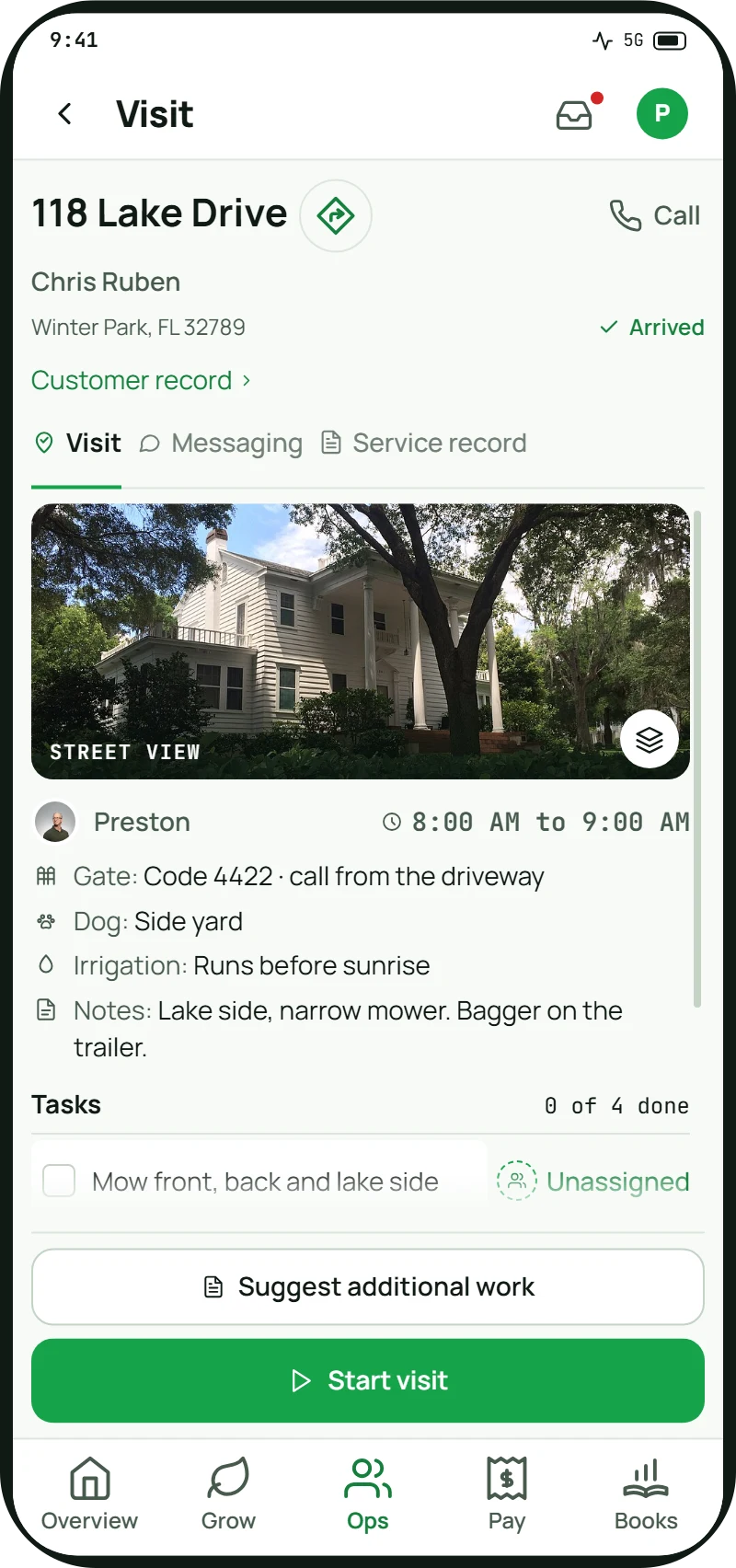
Give your office and crews one place for visit details, customer messages and task assignments.
- Phone contactsCustomer details
- Text threadsCustomer messages
- Maps appStreet view
- Schedule spreadsheetCrew and time
- Crew group textAccess instructions
- Paper notebookProperty notes
- WhiteboardTask assignments
Scheduled
 Street view
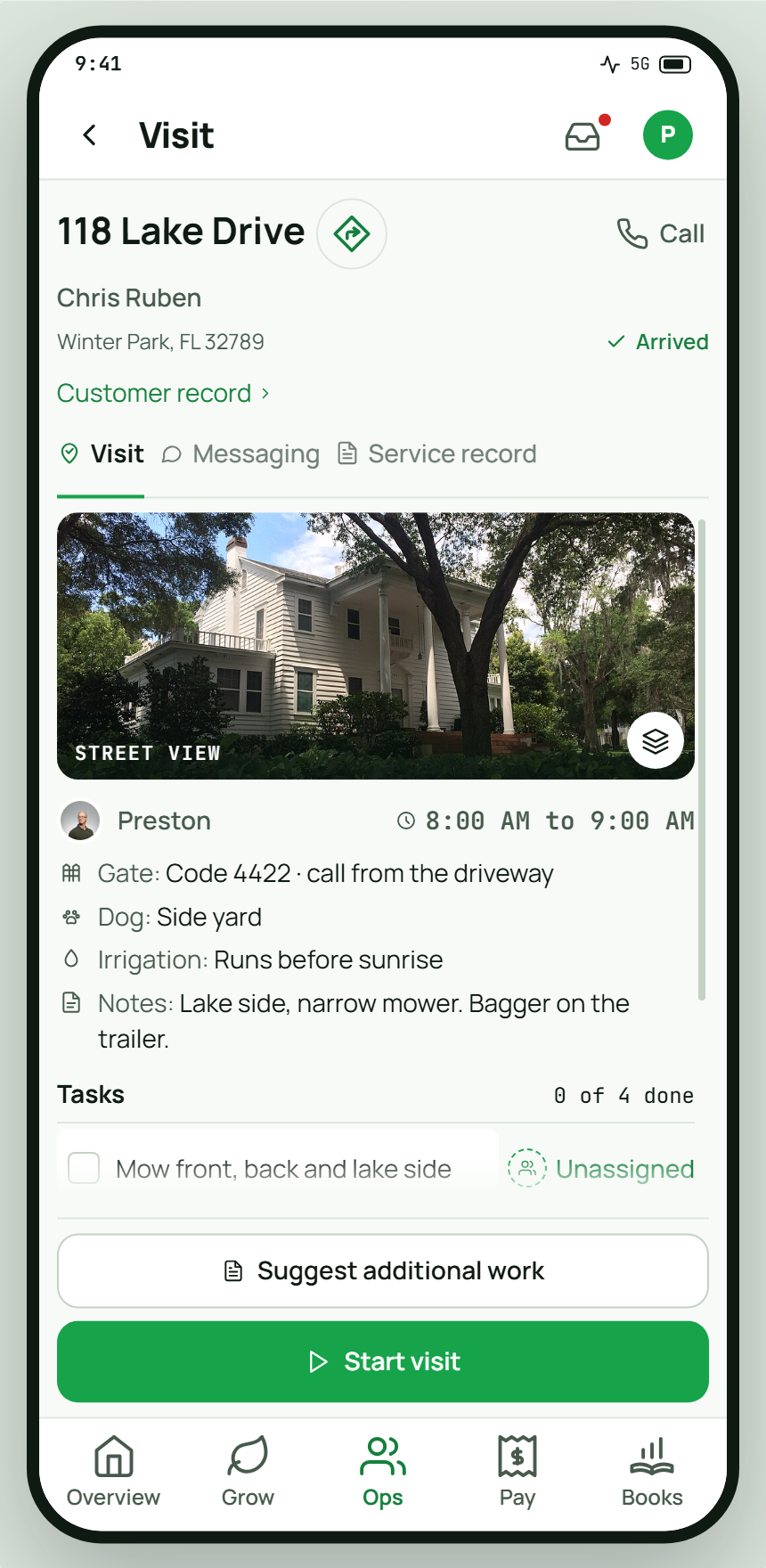
 Preston +18:00 AM to 9:00 AM
Chris Ruben118 Lake Drive
Winter Park, FL 32789Customer record
CallWinter Park, FL 32789Customer record
VisitMessagingService record
Street viewPreston +18:00 AM to 9:00 AM- Gate: Code 4422 · call from the driveway
- Dog: Side yard
- Irrigation: Runs before sunrise
- Notes: Lake side, narrow mower. Bagger on the trailer.
Tasks0 of 4 done
- Mow front, back and lake sidePreston +1
- Edge the drive and the walkAssign
Property Details
- Property search with satellite images and property lines
- AI property measurement
- Property outlines you can adjust or draw
- Property access, animal, parking and irrigation notes
Services and Pricing
- Your own services and prices
- Quote pricing based on property measurements
- Quotes with one price or three plans
- One-time jobs and monthly service schedules
- Quote discounts, promo codes and automatic offers
- Customer referral credits
Quote Preparation
- Saved quote templates
- Quote builder for computers and phones
- Your logo and banner on quotes, emails and texts
- Quote revisions with changes shown
Quote Management
- Quotes sent by text, email or QR code
- Quote reminders on your schedule
- Quote resending and text delivery failure alerts
- In-person quote approval on your phone
- Contract terms templates and recorded customer agreement
- Quote questions, contact options and decline reasons
- Searchable quote list with status and open counts
- Quote expiration, extensions and team reminders
Leads and Customers
- Leads saved from the map
- Lead stages, manual entry, assignments and notes
- Lead and won work totals by source
- Customer records with visits, billing and messages
- Customer and message search
- Lead and quote performance summary
- Customer imports from spreadsheets and other systems
Customer Communication
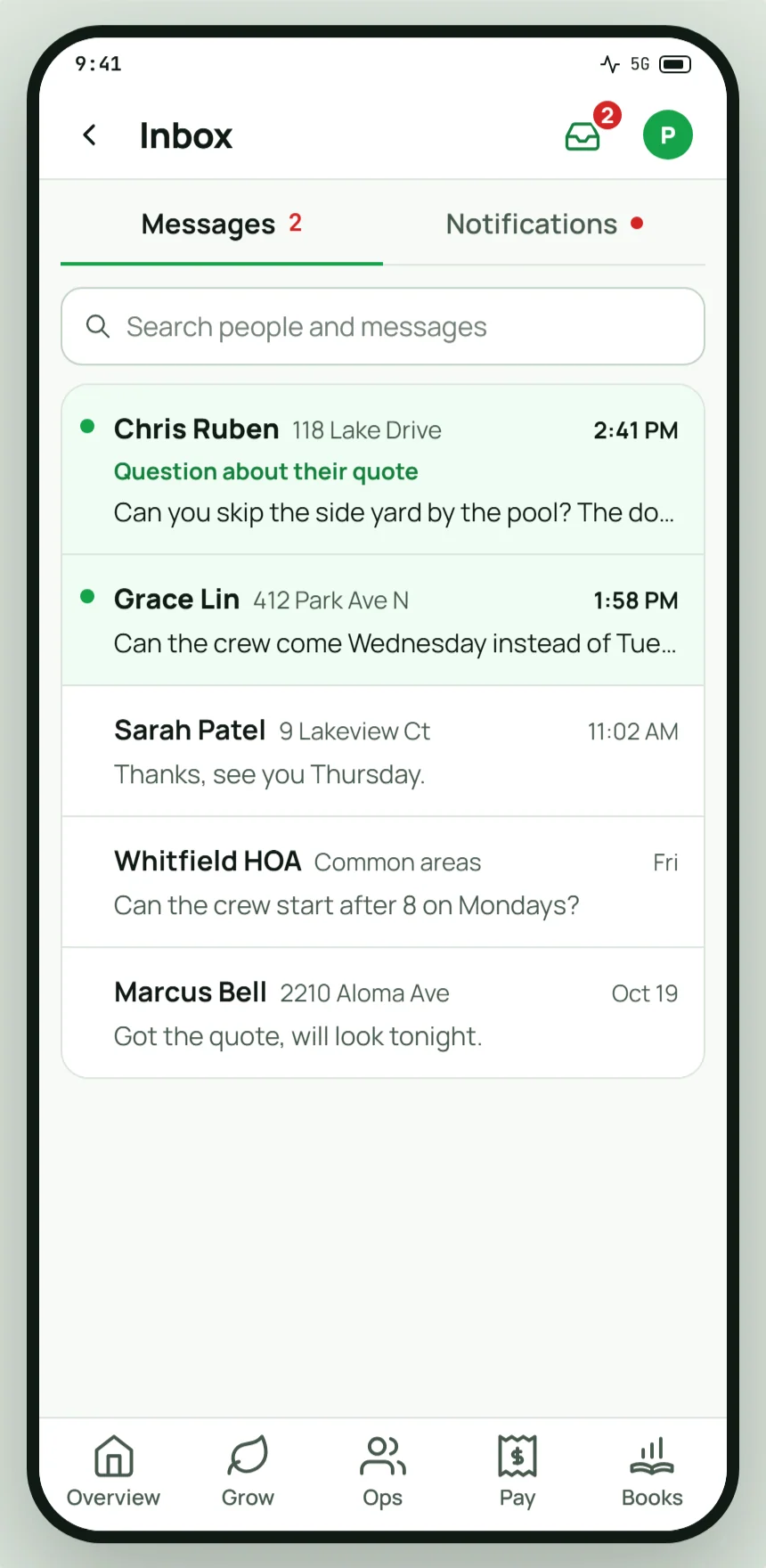
- Customer texts in one inbox
- Automatic quote messages in customer conversations
- Contact opt-outs by communication channel
- Customer email replies to your company mailbox
- Customer page for visits, service proof and invoices
Company Web Page
- Public company web page with a link and QR code
- Quote requests, payments and reviews through your web page
- Company web address reservation during sign-up
- Company name and contact details on quote pages
Daily Crew Planning
- Crew recommendations for unassigned visits that you review and apply
- Recommended stop orders that respect time windows
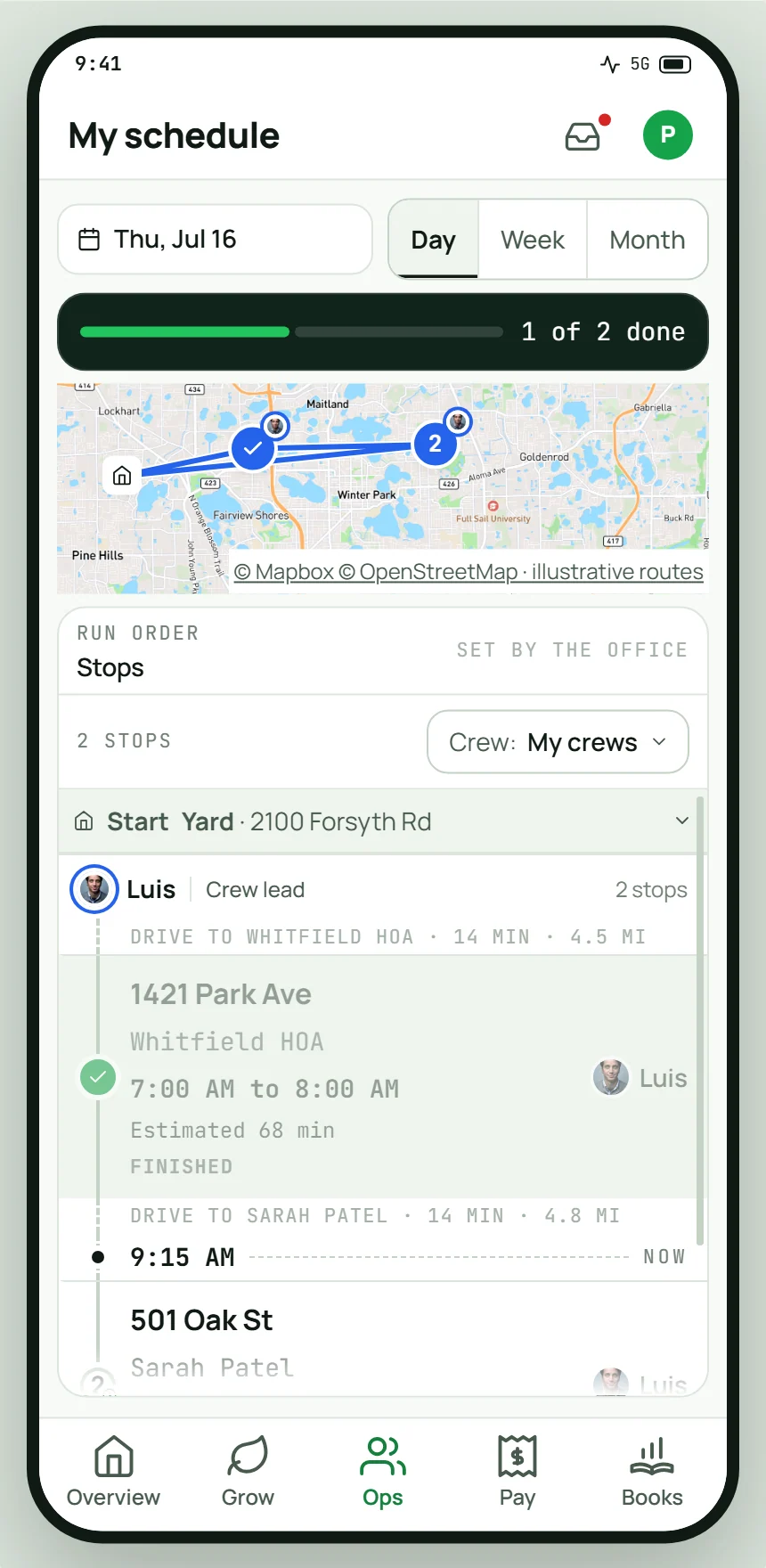
- Mapped routes with arrival, drive and return estimates
- Time estimates that refresh when plans change
- Warnings for long days and tight time windows
Scheduling
- Week and month schedules
- Recurring visits from approved quotes
- Single visits from approved one-time quotes
- Recurring schedule pauses, resumptions and frequency changes
- Visit rescheduling, delays and cancellations
- Service cancellation, final billing and customer notice
Routes
- Daily routes for every crew on one map
- Weekly routes with assigned crews and stop order
- Route changes for rain days, absences and skipped weeks
- Google Maps directions to individual stops
- Last reported crew locations from their phones
Visit Records
- Gate codes, dog warnings and sprinkler notes
- Visit updates sent when signal returns
- Visit log showing who made each update and when
- Photos at every visit
- Extra work flagged by the crew
- Visit completion records with customer and private notes
- Service history by property on customer records
- Chemical application records, corrections and exports
Team and Oversight
- Crews and crew leads
- Team roster and invitations by text or email
- Owner, admin and crew access permissions
- Crew clock-ins with location checks and hours
- Task lists for a person or a crew
- Owner overview of visits, quotes and payments
- Team notifications, emails and quote expiration reminders
- Task and message automation rules
Customer Notifications
- First visit date notifications by text
- Customer texts for travel, arrival and completion
- Customer contact preferences and visit notification settings
Business Setup
- Guided business setup with saved progress
- Welcome tour and setup checklist
- Subscription and billing management
Inventory management
- Stock quantities, weighted average unit costs and low stock thresholds
- Service-linked stock and costs beside quote prices
- Nonblocking quote shortage warnings with suppliers and ordering links
- Crew material usage records from phones
- Stock deductions when visits are completed
- Stock change history showing who, when and why
- Low stock and out-of-stock alerts for owners and admins
Payment Setup
- Payment setup and identity verification
- Accepted payment method settings
- Card or bank account on file
- In-person card, phone and bank payments
Invoicing
- Automatic invoices from completed visits
- Charges after each visit
- Flat monthly billing with prorated partial months
- Deposits and milestone payments
- Commercial invoices with purchase order numbers and net terms
- Final invoices when service ends
- Invoices sent by text and email
- Batch invoice approval and sending
Payments and Receipts
- Customer invoice page with no account required
- Bank payments through the invoice link
- Automatic receipts for paid invoices
- Cash and check records
- Refunds
- Customer invoice history and total paid
Collections and Disputes
- Tracking for overdue invoices, failed payments and disputes
- Overdue reminders
- Failed payment notices with invoice payment links
- Payment success, failure, refund and dispute alerts
- Visit records and photos linked to charges
- Dispute responses with visit evidence
Reporting and Deposits
- Invoice open tracking
- Unpaid balances, monthly collections and overdue notices
- Invoice aging and upcoming billing summary
- Next bank deposit and deposit history
Sales Tax
- Invoice sales tax calculation
- Tax registrations by state
- Tax categories and overrides by service
- Customer tax exemptions by state
- Sales tax reports with reversals and totals
Expenses
- Receipt photos
- Manual expense entry with categories and attachments
- Crew expense submissions with owner or admin approval
Payroll
- Crew hours from phone clock-ins
- Payroll estimates for owner review
- Approved hours export for your payroll provider
Job and Property Profit
- Job revenue, labor, expenses and profit
- Property revenue, labor, expenses and profit
Accounting Connections
- One-way QuickBooks Online sync for invoices and payments
Keep your company working together.
Whether you handle everything or share responsibilities, quotes, visits and billing stay in the same system as your team grows.
Keep daily work connected.
- For one operatorHandle quoting, scheduling and billing in one place.
- For multiple crewsConnect scheduled visits with the details crews need on site.
- For the officeManage customer texts alongside every crew’s schedule.
Everyone sees their part.
Invite your team by text and assign each person a role.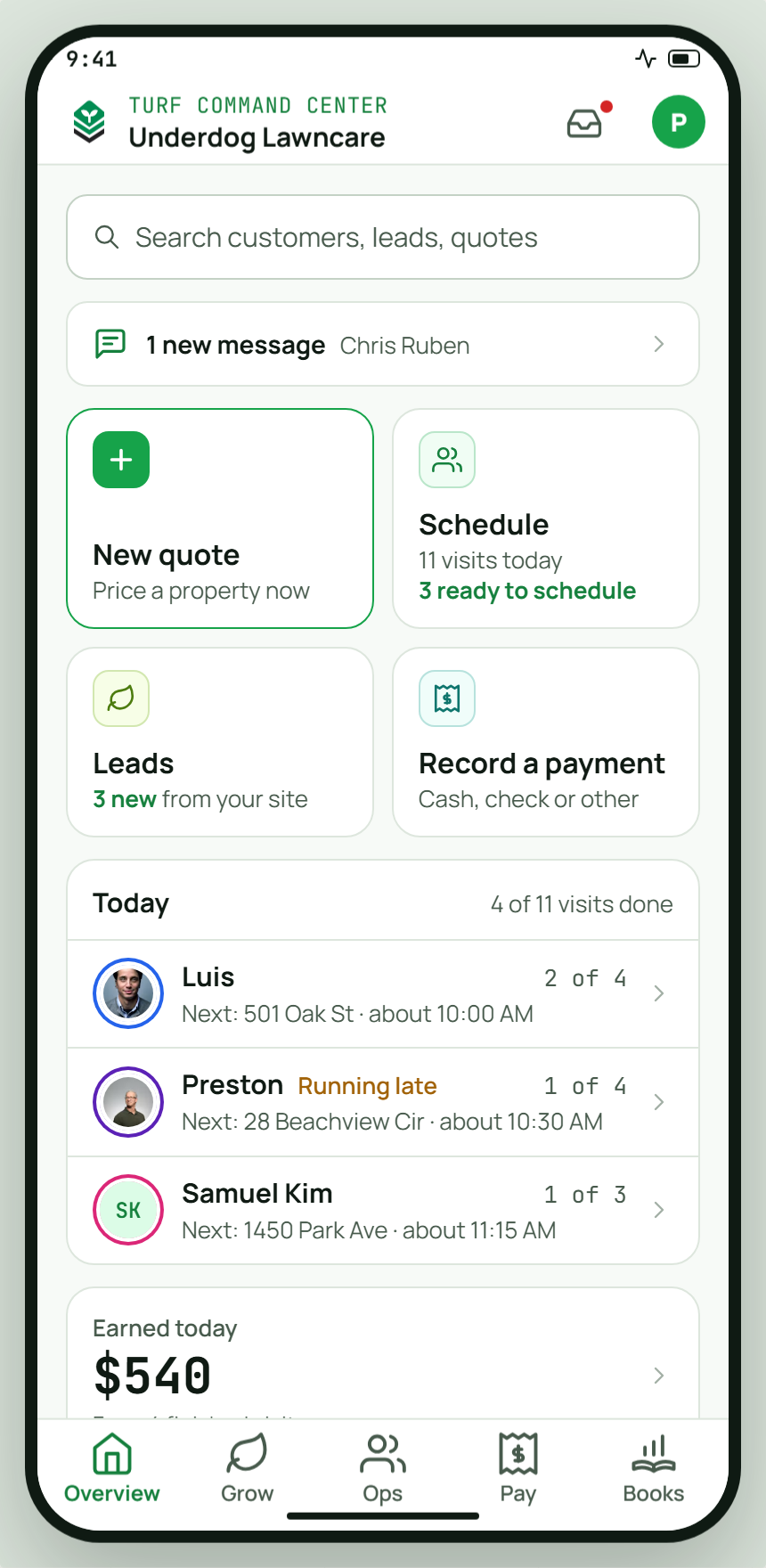
Get started with help.
We’ll help you set up your company. Access Turf Command Center on your phone or computer.
Invite-only now. Public release in January 2027.